OpenAI just launched its first web browser. It is called ChatGPT Atlas, and you can download it today. After a short teaser this morning that flashed a row of tabs for six quick seconds, the company made it official at 10 am PT. Honestly, this move always felt inevitable. People already plan, search, and write inside ChatGPT all day. Now that same help lives right in your browser.
OpenAI has made Atlas accessible to Free, Plus, Pro, and Go users, starting with a Mac release. Windows, iOS, and Android versions will be rolling out in the near future. If you were waiting to download ChatGPT Atlas for Mac, that wait is over.
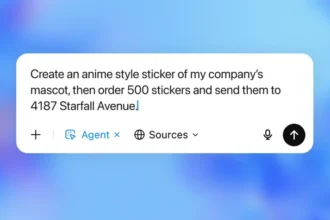
The headline feature is a preview of ChatGPT agent mode. Turn it on with a Plus or Pro plan and the assistant can browse the web, open pages, and manage your browser for you. Ask it to dig through sources, keep a set of tabs tidy, or jump back to a site you saw earlier. It sounds small, but letting the model handle busywork while you read or write feels like a big quality of life upgrade.
Atlas also offers optional memory. If you enable it, ChatGPT remembers key details across ChatGPT and the browser so it works like one brain. That means you can say, find the article I searched for about heat pumps last week, and Atlas knows what you mean. It also understands natural language commands for housekeeping. Try, clean up my tabs and pin the research ones, or pull up the restaurant I looked at last night. That is the kind of simple, human request this OpenAI ChatGPT browser is built to handle. If you prefer a fresh slate each time, you can leave memory off.
Day to day, Atlas looks like a normal browser. You still have tabs and pages, you still click and scroll. The difference is you can talk to it. Instead of hunting through history, you just ask. Instead of dragging tabs around, you tell it what to keep and what to close. For students, researchers, and anyone who lives with 40 tabs open, that alone might sell it.
If this idea rings a bell, Perplexity already ships its Comet browser that leans into AI search. Atlas takes a different tack by bringing full ChatGPT into the browser and tying it to your ongoing chats. For many people who already use ChatGPT, that familiarity matters.
A few quick notes if you are deciding where to start. Everyone can try Atlas free. Agent mode is a Plus or Pro perk. Memory is optional. Mac gets it first, with Windows, iOS, and Android on the way. If you want a straightforward path: go to chatgpt.com/atlas, sign in, download the app, and you are off. If you plan to lean on automation or deep research, consider Plus or Pro so you can use ChatGPT agent mode. If you only need quick help, the free tier is fine.
ChatGPT Atlas does not reinvent the browser. It just puts your assistant in the driver seat when you ask. That is the appeal. Less clicking around, more getting to the point.
Also Read | OpenAI Unveils ChatGPT Agent: The New Era of AI Autopilot
Source: OpenAI