ChatGPT app integrations step by step
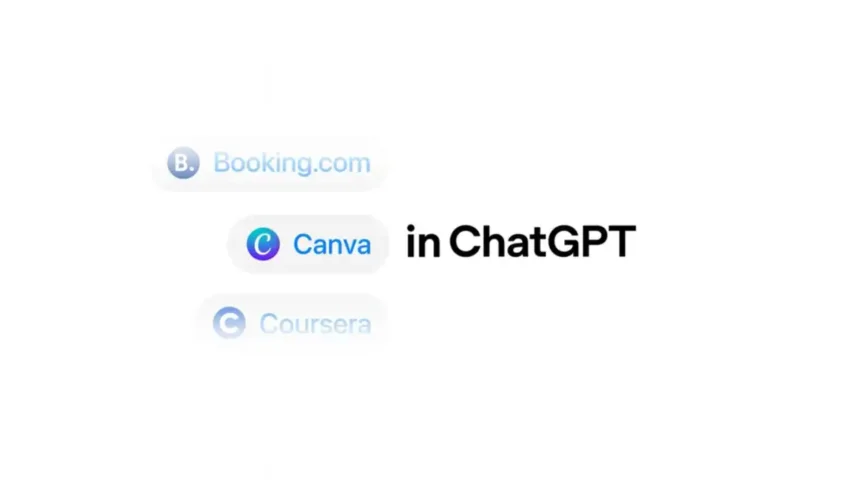
You can now plug your favorite apps right into ChatGPT. Think Spotify for instant playlists, Figma for quick diagrams, Canva for fast designs, plus popular travel and learning apps. You ask in plain English, ChatGPT gets permission to act, and the results show up in the app you already use. It feels natural and saves time. Setup is simple too.
Here is the quick way to connect an app
- Log in to ChatGPT on the web or the official mobile app.
- Open Settings, then Apps or Apps and Connectors.
- Pick an app, select Connect, and sign in to that service.
- Review the permissions on the consent screen, then approve.
- Back in the chat, start a message with the app name, like Spotify:, and say what you want.
You can also connect straight from a prompt. Type the app name at the start of your message, ChatGPT will show a sign in card, and you finish the link in a tap. It usually takes under a minute if you have your password handy.
Try these real-world examples
Spotify
- Spotify: make a 45 minute upbeat running playlist with 90s alt rock. Name it Saturday Run Mix and add it to my library.
- Spotify: suggest three new artists like The National that I have not streamed yet.
With the Spotify connection approved, ChatGPT can create and update playlists, add or remove tracks, and share links you can open in the Spotify app. You can always fine tune the mix after.
Figma
- Figma: turn these steps into a simple user flow chart. Use a clean sans serif and a light gray connector.
- Figma: create a product roadmap board with milestones for Nov, Dec, Jan.
This is great for turning rough ideas into something visual fast. ChatGPT can create new files or frames you can open in Figma and polish with your team.
Canva
- Canva: design a 16:9 slide deck about our Q4 roadmap using our brand colors navy and teal.
- Canva: make a fun poster for a dog walking business. Include a QR code placeholder.
AI designs are not perfect. You might see a typo here or there. The win is speed. Open the result in Canva, tweak the layout, and ship.
Booking.com and Expedia
- Booking.com: find family friendly hotels in Boston for Nov 10 to 12 under 250 dollars a night, near the subway, with breakfast included.
- Expedia: show nonstop flights from SFO to JFK for Dec 5 to Dec 9. Only show 4 star hotels near Midtown.
You get filtered options in chat, plus links to finish the booking on the travel site.
Coursera
- Coursera: find an intermediate Python course under 20 hours and rated 4.5 or higher. Compare cost and syllabus.
Nice when you want a quick shortlist without bouncing through tons of tabs.
Zillow
- Zillow: 3 bedroom homes under 700k in Ballard with off street parking and a yard. Send open houses next weekend.
You can add filters in plain text and refine as you go.
Tips for smooth use
- Be clear about the action and the output. Say create, add, update, share a link, or open in app.
- Name the thing you want. Playlist name, slide size, budget, dates, neighborhoods. Small details help the first draft land closer.
- Keep it safe. Do not paste passwords or private tokens in chat. Use the official sign in flow only.
Privacy, data, and control
When you connect an app, that service shares specific data with ChatGPT so it can do the job you asked. Read the permission screen carefully before you approve. For example, Spotify may request access to manage playlists and your library. Travel apps can share trip searches you ask for. You stay in control.
- See and remove any connection in ChatGPT under Settings, then Apps or Apps and Connectors.
- You can also revoke access from the partner’s own account page at any time. For example, Spotify has an Apps page in your account settings at spotify.com/account/apps.
- To learn more about connections and permissions, see the OpenAI Help Center at help.openai.com. Partner help pages are useful too, like support.spotify.com, help.figma.com, and canva.com/help.
Fix common hiccups fast
If ChatGPT says an app is not connected, open Settings and confirm the app shows as Connected. If playlists or files are not updating, disconnect, then connect again and approve the prompts. That quick reset clears most odd issues. Also check you are signed into the same partner account you expect.
Why this feels different
Typing one clear request is often faster than jumping between five tabs and two apps. You keep your flow. You get a usable first draft or a ready to go action. And you still have the edit link to make it yours.
Regional availability and what’s coming
These app integrations are currently live in the US and Canada only. If you are in Europe or the UK, the feature has not rolled out yet. OpenAI hasn’t shared when these integrations will reach other regions.
More apps are on the way. OpenAI confirmed DoorDash, OpenTable, Target, Uber, and Walmart will join the lineup later this year. That means you could soon order food, book restaurant reservations, shop, and request rides without leaving ChatGPT.
Also Read | Introducing ChatGPT Atlas: OpenAI’s AI-Powered Browser Revolution
Source: OpenAI