Apple just announced iOS 26, and it’s bringing some big changes to your iPhone. This update looks very different from iOS 18, which came out in September 2024. Let’s break down what’s new and what makes iOS 26 special.
Why Apple Skipped to iOS 26
You might wonder what happened to iOS 19 through 25. Apple skipped these version numbers and jumped straight to iOS 26 to match their other software versions. This helps keep everything simple across all Apple devices.
iOS 26: A Fresh New Look
The biggest change in iOS 26 is how it looks. Apple created a new design called “Liquid Glass” that makes everything look more modern and alive. This clear, shiny effect appears on app icons, widgets, and throughout the entire system.
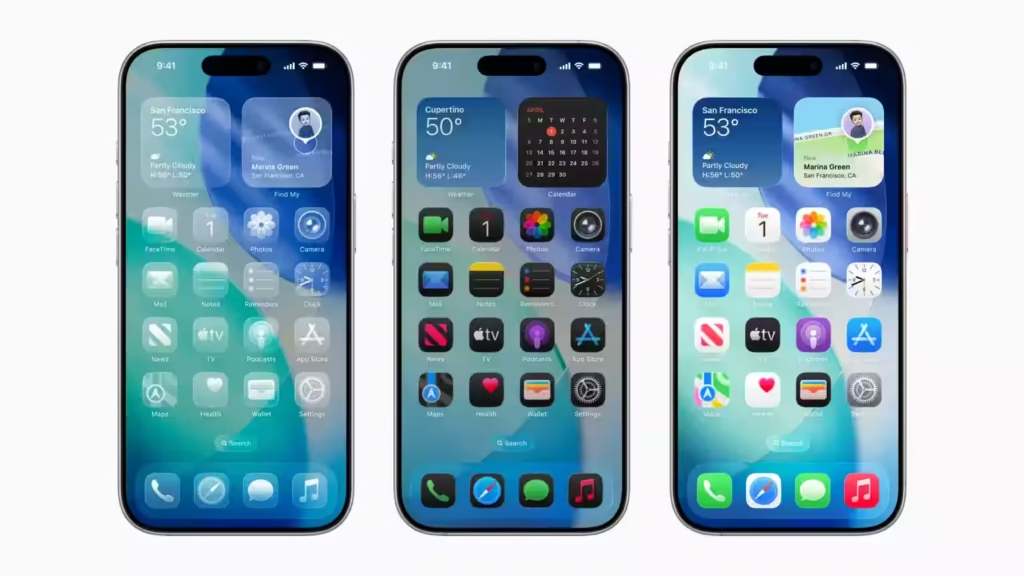
Your iPhone screen now feels more interactive. The time on your lock screen moves around based on your wallpaper. Spatial wallpapers create a 3D effect when you tilt your phone. These small touches make using your iPhone feel more fun.
In iOS 18, Apple focused on customization options and app organization. iOS 26 takes this much further with better visual effects and smoother animations everywhere.
Apple Intelligence Gets Smarter
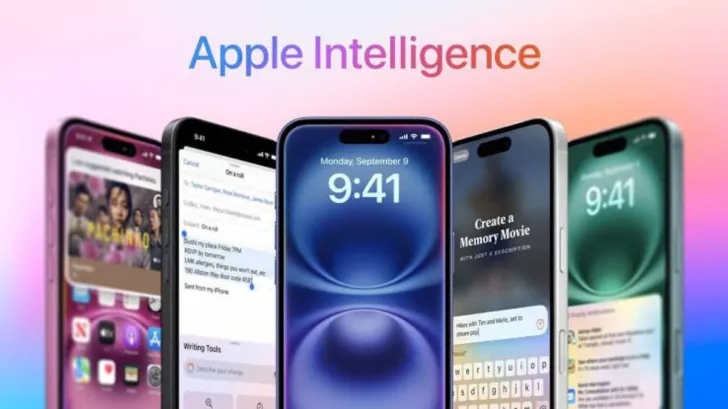
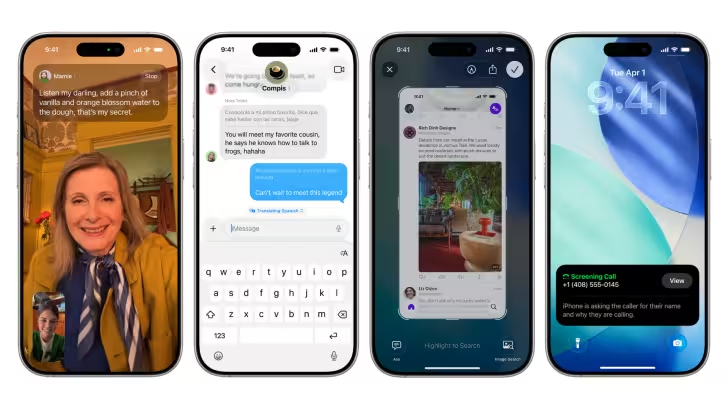
Both iOS versions have Apple Intelligence, but iOS 26 makes it much more useful. Live Translation now works in Messages, FaceTime, and Phone calls to help you talk with people who speak different languages. The translation happens right on your phone, so your conversations stay private.
Visual intelligence in iOS 26 will now recognize what’s on your screen. Point your camera at an event poster, and your iPhone can add it to your calendar automatically. This wasn’t possible in iOS 18.
Better Phone and Messages Experience
iOS 26 makes staying connected easier. The Phone app now shows your favorites, recent calls, and voicemails all in one place. Call Screening helps you avoid unwanted calls by asking the caller what they want before your phone rings.
Hold Assist is a new feature that watches when you’re on hold and tells you when a real person is ready to talk. No more sitting by your phone waiting.
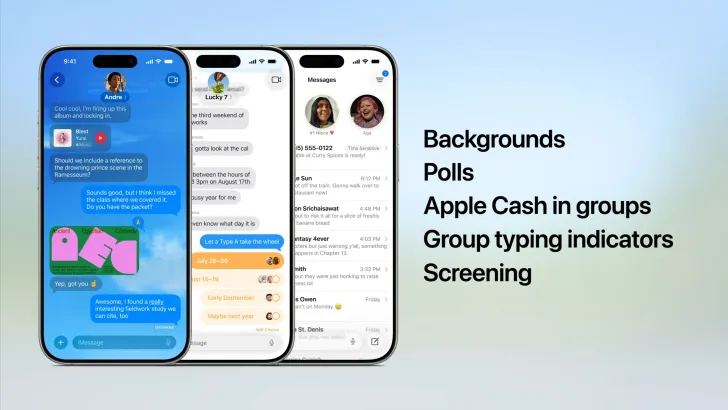
Messages got upgrades too. You can now create polls in group chats and add custom backgrounds to conversations. iOS 18 had basic messaging improvements, but iOS 26 makes texting much more interactive.
What’s New in Your Favorite Apps
Apple Music
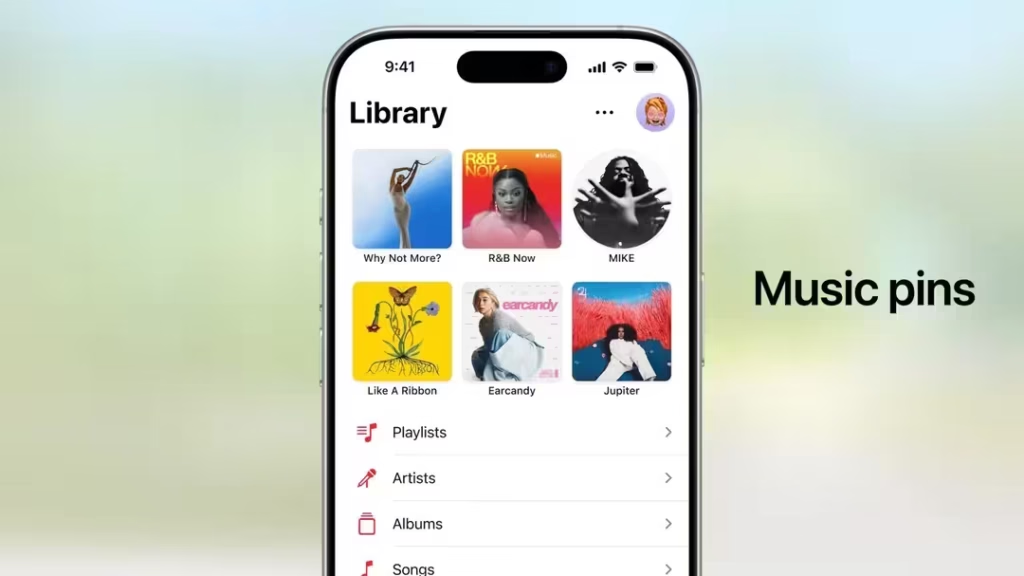
- Lyrics Translation helps you understand songs in other languages
- AutoMix creates smooth transitions between songs like a real DJ
- The tab bar now floats above your content for a cleaner look
Apple Maps
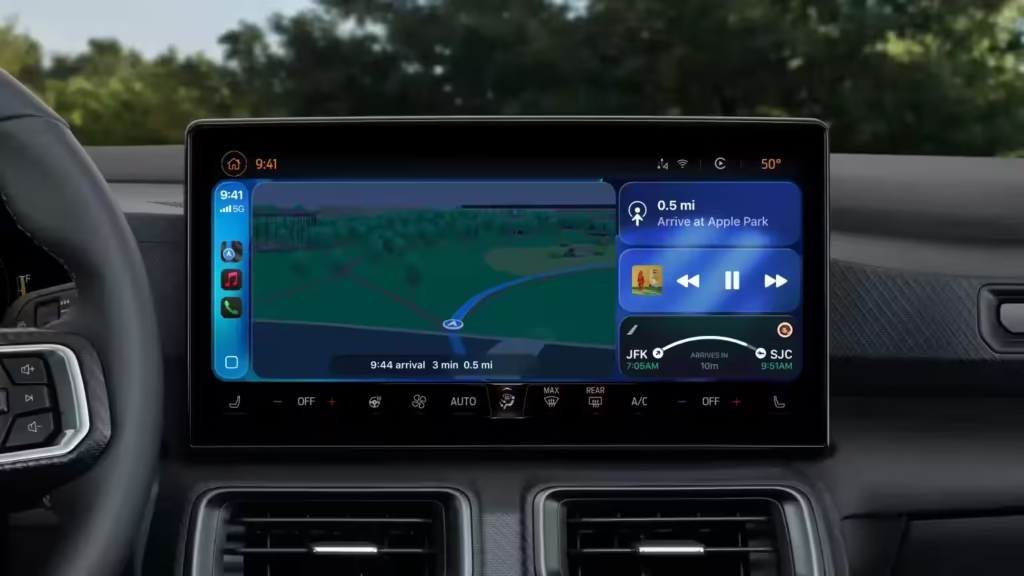
- Visited Places remembers where you’ve been (stored privately on your phone)
- Smart route suggestions learn your daily patterns
- Better indoor navigation for airports and large buildings
Apple Wallet
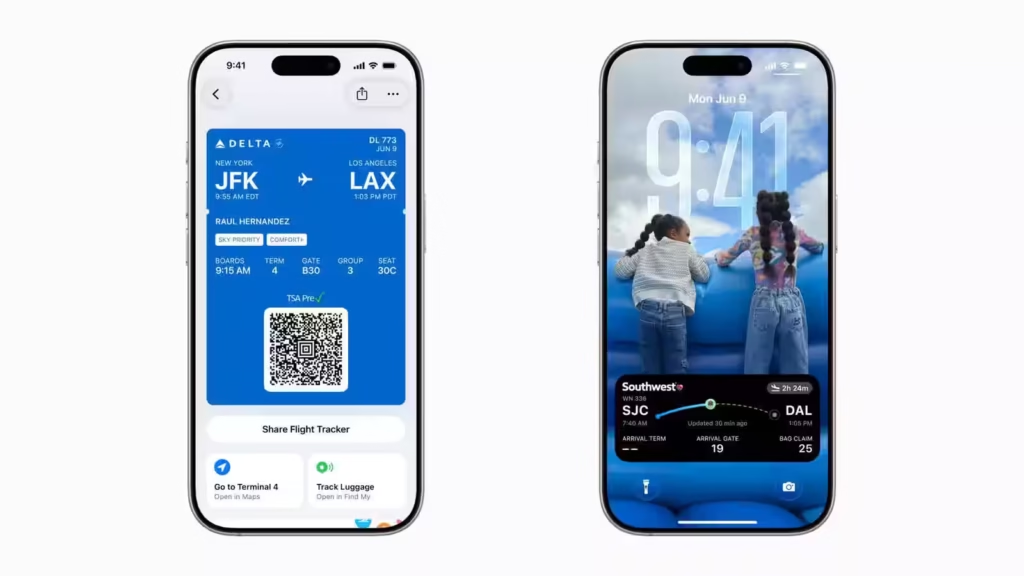
- Choose payment methods and installment options right at checkout
- Boarding passes now connect to Maps and Find My for easier travel
- Live flight updates appear on your lock screen
New Apple Games App
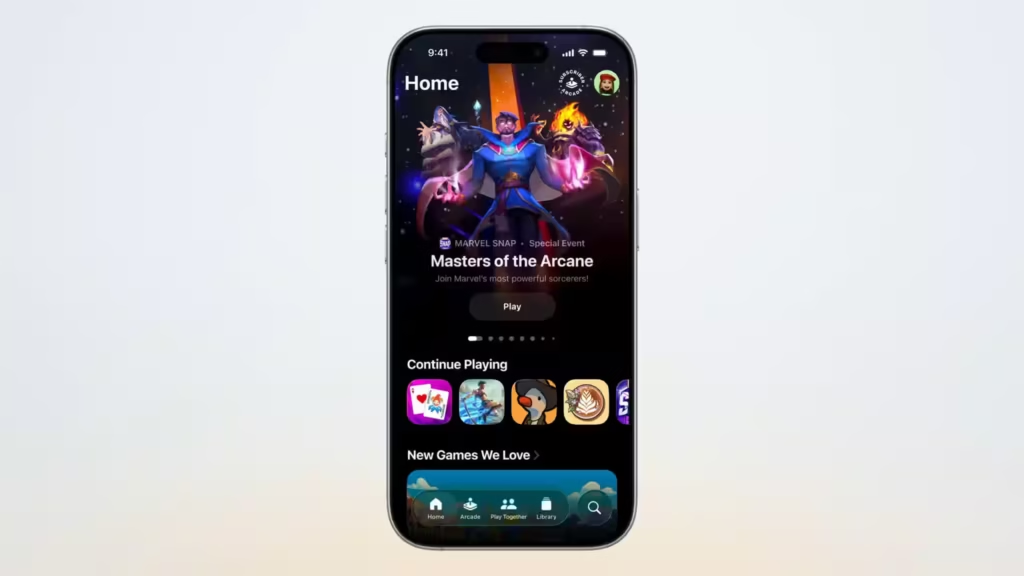
Apple Games is a brand-new app that gives players a single destination for all their games. It helps you find new games, track your progress, and play with friends. This app didn’t exist in iOS 18.
iPhone Compatibility
iOS 26 works on iPhone 11 and newer models. But Apple Intelligence features won’t work unless you’ve got an iPhone 15 Pro, Pro Max, or any model from the iPhone 16 family. Older iPhones can still use iOS 26 but won’t get the smart features.
iOS 18 supported similar devices, but iOS 26 drops support for some older models to make room for new features.
iOS 26 vs iOS 18 Specs Comparison
| Category | iOS 18 | iOS 26 |
|---|---|---|
| Version | Sequential update (iOS 18 in 2024) | Skipped 19–25 to match macOS/watchOS/tvOS (now all on 26) |
| Design | Traditional iOS look, flat design | Liquid Glass visuals, 3D spatial wallpapers, animated lock screen elements |
| Apple Intelligence | Basic on-device intelligence | Live Translation in Messages, FaceTime, Phone; screen understanding |
| Visual Intelligence | Limited screen recognition | Recognizes screen content, suggests calendar events from posters, etc. |
| Phone App | Standard call handling, separate tabs | Unified tab layout, Call Screening, Hold Assist |
| Messages | Basic group messaging and customization | Group polls, custom chat backgrounds, smarter interactions |
| Apple Music | Lyrics display only | Live Lyrics Translation, AutoMix transitions, floating tab bar |
| Apple Maps | Regular navigation | Smart route suggestions, Visited Places, indoor navigation enhancements |
| Apple Wallet | Payment card storage, basic boarding passes | Installment payments, travel integration with Maps/Find My, live updates |
| Gaming | Games spread across App Store | New Apple Games app for game library, tracking, and discovery |
| CarPlay | Standard CarPlay | CarPlay Ultra with deeper vehicle integration |
| Widgets & Home Screen | Limited interactivity, fixed grid | Fully interactive widgets, freeform icon placement |
| Focus Mode | Basic setup | Easier configuration, status sharing |
| Health App | Tracks steps, sleep, etc. | Dashboard overhaul, family sharing for kid health data |
| Privacy Features | App Tracking Transparency | Detailed privacy reports, more permission control |
| Compatibility | iPhone 8 and newer | iPhone 11 and newer (Apple Intelligence on iPhone 15 Pro & up) |
Should You Update to iOS 26?
iOS 26 brings meaningful improvements over iOS 18. The new design makes your iPhone feel fresh and modern. Apple Intelligence features are more useful in daily life. Better app organization saves you time.
The update is free and available this fall. If you have a compatible iPhone, iOS 26 offers enough new features to make updating worthwhile.
When Can You Get iOS 26?
iOS 26 is available for testing through Apple’s developer program starting today, with a public beta coming next month. The final version releases this fall as a free update.
iOS 26 represents Apple’s biggest iOS update since iOS 7 changed everything in 2013. The combination of better design, smarter features, and improved apps makes this update worth the wait.
Whether you’re coming from iOS 18 or an older version, iOS 26 brings your iPhone experience into the future with features that actually make your daily tasks easier.
Also Read | AirPods May Soon Let You Snap Photos and Track Sleep—Here’s What’s Leaked