Creating amazing pictures with artificial intelligence used to cost money. Not anymore! ChatGPT now lets everyone make AI images for free, and the results are pretty incredible. Whether you’re a kid working on a school project or an adult wanting to try something new, these simple tricks will help you make art that looks professional.
What Makes ChatGPT Image Generator Tool So Special
The newest version of ChatGPT comes with something called 4o image generation. Think of it like having a super smart artist friend who can draw anything you describe. The images look better than ever with increased detail and a better understanding of what you want. The best part? You don’t have to be an artist to get stunning results.
Here’s what makes it different from other AI art tools. When you tell it what you want, it actually listens to every detail you mention. Other tools sometimes ignore parts of your request, but this one pays attention to everything.
5 Ways to Make Amazing AI Art
1. Start with Simple, Clear Descriptions
The secret to great AI art is being specific about what you want. Instead of saying “draw a cat,” try something like “a fluffy orange cat sitting on a blue couch in a sunny living room.” The more details you give, the better your picture will turn out.
Think about these things when writing your description:
- What colors do you want
- Where is the scene happening
- What time of day is it
- How should the mood feel
2. Try Different Art Styles
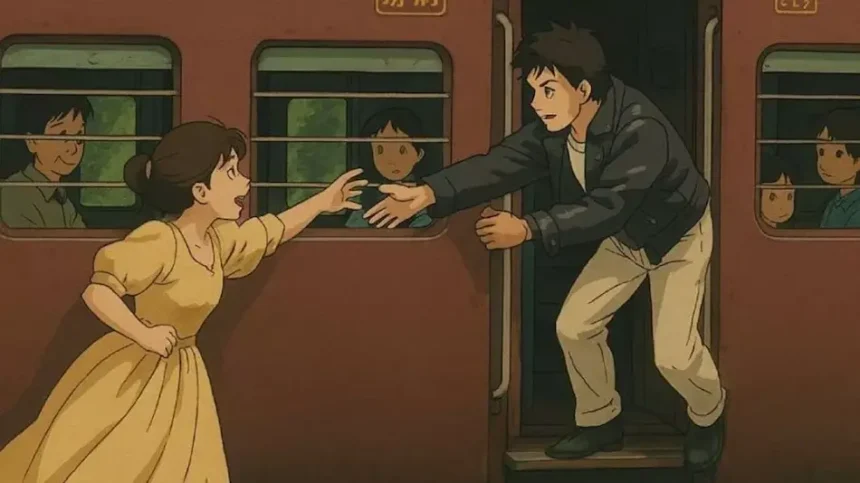
ChatGPT can copy almost any art style you can think of. Thinking of a cartoon-style image? Just ask for it. You can turn ordinary photos into anime, origami, puppet art, and more with simple prompts.
Some popular styles to try:
- Watercolor painting style
- Comic book artwork
- Photography that looks real
- Sketch or pencil drawing
- Digital art with bright colors
3. Mix Real Things with Fantasy
This is where AI art gets really fun. You can combine things that would never exist in real life. Try asking for “a dragon reading a book in a modern coffee shop” or “a robot gardening in a fairy tale forest.” The weirder your idea, the more interesting your picture might become.
4. Use the Right Words for Better Results
Some words work better than others when talking to AI. Instead of “pretty,” try “elegant” or “stunning.” Instead of “big,” use “massive” or “towering.” These stronger words help the AI understand exactly what feeling you want in your picture.
Power words that work well:
- Dramatic instead of interesting
- Vibrant instead of colorful
- Mysterious instead of dark
- Ancient instead of old
- Glowing instead of bright
5. Ask for Changes and Improvements
Don’t settle for the first picture you get. If something doesn’t look right, just ask ChatGPT to change it. You can say things like “make the sky more purple” or “add more trees in the background.” The AI is great at making small adjustments to get exactly what you want.
Getting Started Today
Free ChatGPT users can now generate three images per day, which is perfect for trying out these techniques. Start with something simple, like your favorite animal in an unusual place. Then get more creative as you learn what works.
Remember that making good AI art takes practice, just like any other skill. Your first few pictures might not be perfect, but each one will teach you something new about how to describe what you want.
The world of AI art creation is changing fast, and ChatGPT’s new image tool puts professional-quality results in everyone’s hands. Whether you want to make pictures for fun, school projects, or just to see what’s possible, these five methods will help you create images that surprise and delight everyone who sees them.
The key is to enjoy the process and try out different ideas. There are no wrong answers when you’re being creative with AI art. Every weird idea you try might lead to your next masterpiece.